These interface screens were recorded September 21, 2026. Check that the panel still exists and read its confirmation before using dragons.
Read the merge requirement before selecting
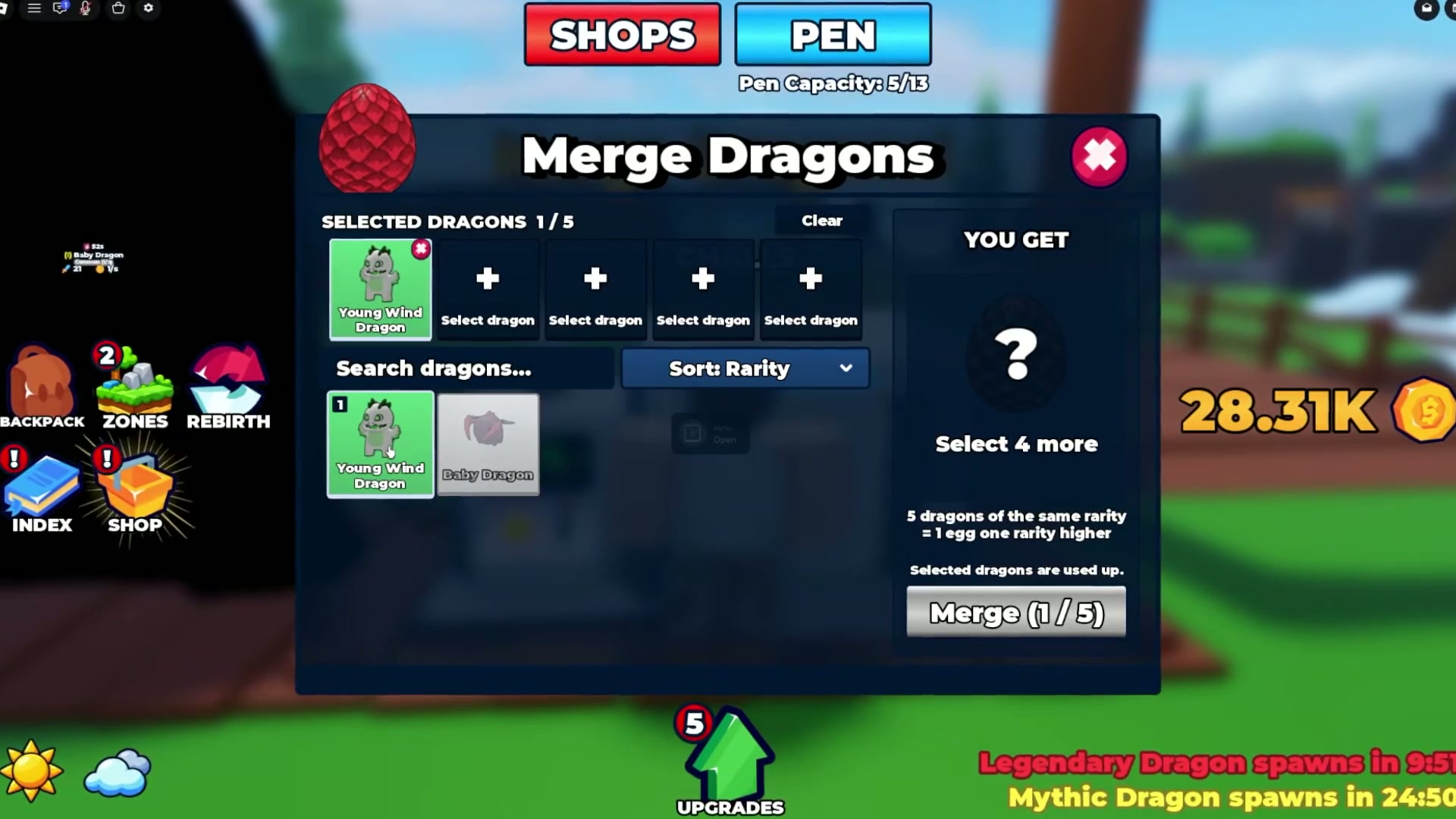
At 02:44, the panel says five dragons of the same rarity produce one egg one rarity higher. Selected dragons are used up. The frame shows 1/5 selected, so it records panel wording and one selection state, not a completed merge.
- Open Merge Dragons.
- Read the current count and rarity requirement.
- Check which dragons will be consumed before confirming.
Place an egg in an incubator when prompted
At 03:04, an E Incubator Open prompt is visible. The creator says to place the egg in an incubator and wait, without giving a readable duration. No exact hatch time is confirmed.
- Approach an incubator with the egg.
- Use the displayed interaction prompt.
- Read any current wait or completion message.

Confirm current availability and outcome
Check the merge panel in your current server before preparing duplicates. Use its confirmation text to verify cost, rarity result, and dragons consumed.
Sources
MERGE SCREEN NOTES
1. Open the merge panel and read its requirement.
2. Select only dragons you are willing to consume.
3. Check the confirmation before merging.
4. Use an incubator if its prompt is available.